In the local model serving landscape, we have already looked at Ollama and LM Studio. The other option I explored was Docker Model Runner (DMR). For any developer, Docker is a part of the workflow. The DMR makes running a local model as simple as running a container. This feature was introduced as a beta in the Docker Desktop 4.40 release. The key features of DMR include:
- Serve models on OpenAI-compatible APIs
- Pull and push models to and from Docker Hub.
- Manage local models
- Run and interact with models both from the command line and the Docker Desktop GUI.
- Package model GGUF files as OCI artifacts and publish them to any container registry
To get started, you can install Docker Desktop or upgrade to a version above 4.40. This installs the docker-model CLI plugin.
 1
 2
 3
 4
 5
 6
 7
 8
 9
10
11
12
13
14
15
16
17
18
19
20
21
22
23
24
25
| PS C:\> docker model
Usage: docker model COMMAND
Docker Model Runner
Commands:
df Show Docker Model Runner disk usage
inspect Display detailed information on one model
install-runner Install Docker Model Runner (Docker Engine only)
list List the models pulled to your local environment
logs Fetch the Docker Model Runner logs
package Package a GGUF file into a Docker model OCI artifact, with optional licenses.
ps List running models
pull Pull a model from Docker Hub or HuggingFace to your local environment
push Push a model to Docker Hub
requests Fetch requests+responses from Docker Model Runner
rm Remove local models downloaded from Docker Hub
run Run a model and interact with it using a submitted prompt or chat mode
status Check if the Docker Model Runner is running
tag Tag a model
uninstall-runner Uninstall Docker Model Runner
unload Unload running models
version Show the Docker Model Runner version
Run 'docker model COMMAND --help' for more information on a command.
|
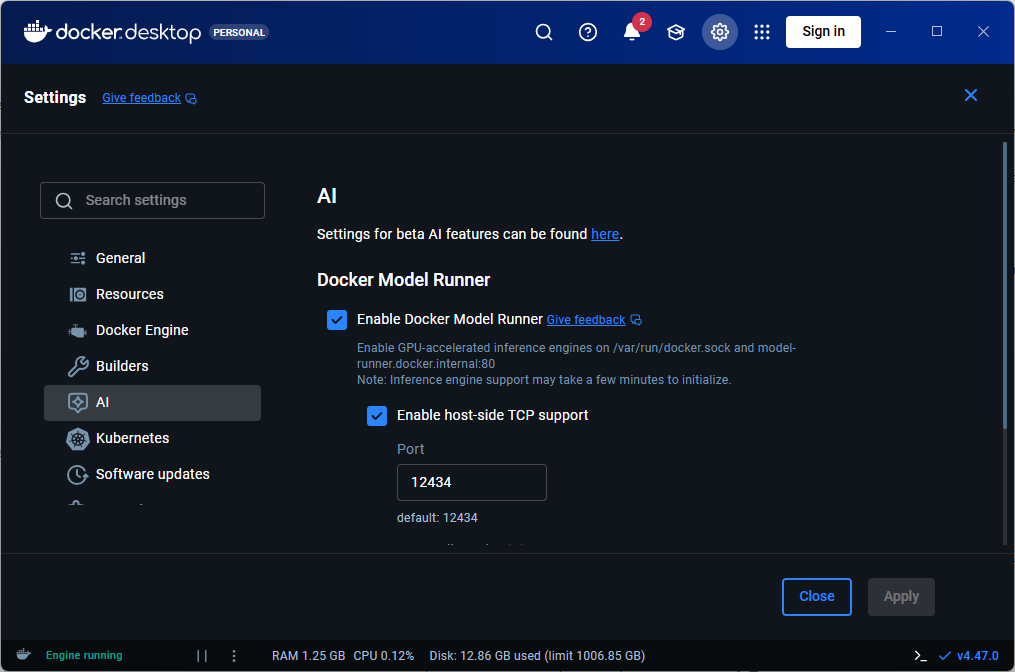
This feature can be enabled or disabled using docker model CLI or Docker Desktop GUI.
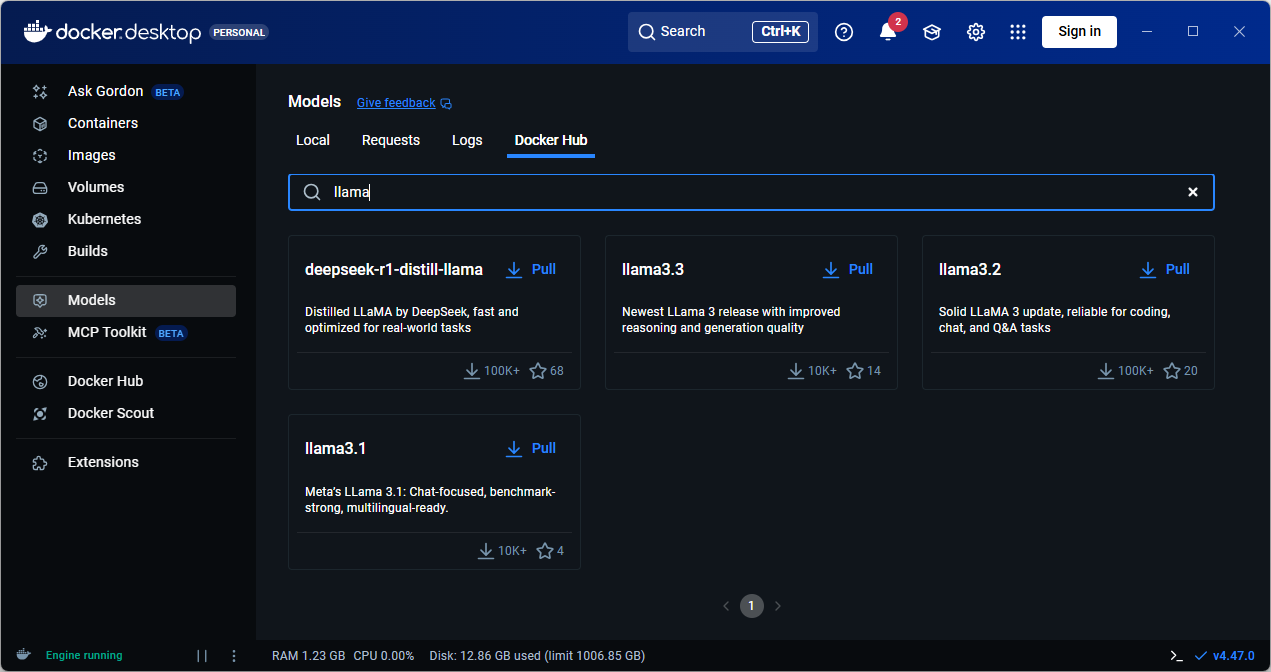
You can run docker model pull command to pull a model locally. You can obtain a list of models on Docker Hub or use the Docker Desktop GUI to browse the model catalog.
1
2
3
| PS C:\> docker model pull ai/llama3.2:3B-Q4_0
Downloaded 1.92GB of 1.92GB
Model pulled successfully
|
The model names follow the convention {model}:{parameters}-{quantization}.
To generate a response, you can use the docker model run command.
1
2
3
4
| PS C:\> docker model run ai/llama3.2:3B-Q4_0 "In one sentence, what is a Llama?"
A llama is a domesticated mammal native to South America, closely related to alpacas, characterized by its long neck, soft fur, and distinctive ears.
Token usage: 45 prompt + 34 completion = 79 total
|
If you do not provide a prompt at the end of the command, an interactive chat session starts.
1
2
3
4
5
6
7
8
| PS C:\> docker model run ai/llama3.2:3B-Q4_0
Interactive chat mode started. Type '/bye' to exit.
> In one sentence, what is a Llama?
A llama is a domesticated mammal native to South America, closely related to alpacas, characterized by its long neck, soft fur, and distinctive ears.
Token usage: 45 prompt + 34 completion = 79 total
> /bye
Chat session ended.
|
If you enable the host-side TCP support, you can use the DMR REST API programmatically to access and interact with the model.
 1
 2
 3
 4
 5
 6
 7
 8
 9
10
11
| curl http://localhost:12434/engines/llama.cpp/v1/chat/completions \
-H "Content-Type: application/json" \
-d '{
"model": "ai/llama3.2:3B-Q4_0",
"messages": [
{
"role": "user",
"content": "In one sentence, what is a Llama?"
}
]
}'
|
Last updated: 30th September 2025